
What Is Digital Marketing? A Complete Guide for Businesses
December 5, 2019Digital Marketing
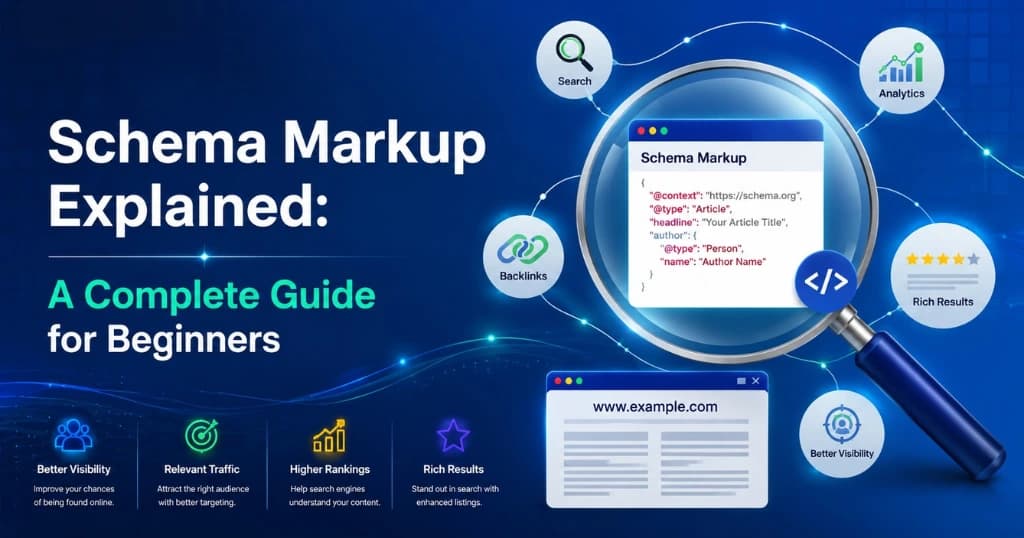
Schema markup is structured data code — written in JSON-LD, Microdata, or RDFa format — that you add to your website’s HTML to explicitly tell search engines what your content means, not just what it says, enabling rich results like star ratings, FAQ dropdowns, and event details that appear directly in Google’s search results. It doesn’t directly improve your ranking position, but it significantly improves how your listing appears in search results — and richer, more informative results consistently earn higher click-through rates from the same position.
This guide explains everything a beginner needs to know about schema markup: what it is, how it works, which types matter most, how to implement it without writing code, and how to verify it’s working. Whether you’re managing SEO for your own business or working with an SEO agency in Chennai, this is the complete reference.
Schema markup is a shared vocabulary of structured data maintained by Schema.org — a collaborative project founded jointly by Google, Bing, Yahoo, and Yandex in 2011. It provides a standardized set of tags (called “types” and “properties”) that websites can use to describe their content in a format that search engines understand unambiguously.
Without schema markup, a search engine sees this:
“Weboin offers SEO and digital marketing services in Chennai with 4.9 star reviews from over 300 clients.”
With schema markup, the search engine understands:
Organization: Weboin. Service: SEO. Location: Chennai, India. AggregateRating: 4.9/5 from 300 reviews.
This distinction matters because search engines that understand content with machine-readable certainty can do more with it — surfacing it in rich results, AI summaries, voice search responses, and featured snippets with far greater accuracy.
The commercial impact of schema markup is documented across multiple studies:
For any business serious about SEO — whether managed in-house or with a digital marketing company in Chennai — schema markup is the technical SEO investment with one of the clearest, most measurable returns available.
Schema markup works by adding a layer of semantic context to your HTML. This context is communicated through one of three formats:
| Format | Description | Recommended For |
|---|---|---|
| JSON-LD | JavaScript code placed in <script> tags, separate from HTML content | All websites — Google’s preferred format |
| Microdata | HTML attributes embedded directly in content tags | Legacy implementations; not recommended for new work |
| RDFa | HTML attributes in the Resource Description Framework | Rarely used; primarily for semantic web applications |
Google explicitly recommends JSON-LD as the preferred schema markup format because it can be added to any page without modifying the actual HTML content structure—making it easier to implement, easier to debug, and easier to update.
Every schema markup implementation follows the same basic structure:
html<script type="application/ld+json">
{
  "@context": "https://schema.org",
  "@type": "Organization",
  "name": "Weboin",
  "url": "https://weboin.com",
  "address": {
    "@type": "PostalAddress",
    "addressLocality": "Chennai",
    "addressRegion": "Tamil Nadu",
    "addressCountry": "IN"
  }
}
</script>
https://schema.org — tells the parser which vocabulary you’re using.You don’t need to be a developer to understand this—the structure is consistent, and tools exist to generate it without writing any code.
Schema.org defines hundreds of types. For most businesses, 6–8 types cover the vast majority of practical SEO value. Here’s when each matters and why.
What it is: Structured data that describes a business’s identity, location, hours, contact information, and service area to search engines.
Why it matters for local SEO: LocalBusiness schema is the foundation of local SEO structured data. It directly supports rich local results — including knowledge panel population, business details in Maps, and AI local summary data. For any digital marketing agency in Chennai or local service business, this is the single most important schema type to implement.
Key properties to include:
json{
  "@type": "LocalBusiness",
  "name": "Weboin",
  "description": "Full-service digital marketing agency in Chennai",
  "url": "https://weboin.com",
  "telephone": "+91-XXXXX-XXXXX",
  "address": {
    "@type": "PostalAddress",
    "streetAddress": "123 Anna Nagar",
    "addressLocality": "Chennai",
    "addressRegion": "Tamil Nadu",
    "postalCode": "600040",
    "addressCountry": "IN"
  },
  "geo": {
    "@type": "GeoCoordinates",
    "latitude": 13.0827,
    "longitude": 80.2707
  },
  "openingHoursSpecification": [...],
  "priceRange": "₹₹",
  "aggregateRating": {
    "@type": "AggregateRating",
    "ratingValue": "4.9",
    "reviewCount": "312"
  }
}
LocalBusiness subtypes to consider: Schema.org offers over 100 LocalBusiness subtypes — from Restaurant to LegalService to InternetMarketingService. Using the most specific applicable subtype instead of the generic LocalBusiness type provides additional ranking signal precision.
What it is: Structured data describing a company’s fundamental identity — name, logo, contact information, social profiles, and founding details.
Why it matters: Organization schema populates Google’s Knowledge Panel for your brand. When someone searches your company name directly, a well-implemented Organization schema ensures the knowledge panel shows the correct logo, description, social profiles, and contact information.
Key properties:
What it is: Structured data for blog posts, news articles, and editorial content that describes the article’s headline, author, publication date, and featured image.
Why it matters: Article schema enables byline information, publication dates, and article thumbnails to appear in Google’s rich results — particularly in Google Discover, Google News, and AI Overviews. It also helps establish author entities, which are an increasingly important E-E-A-T signal for content ranking.
Key properties:
@type: "Person" or @type: "Organization" and name)"2025-01-15")The Article type hierarchy: Schema.org offers subtypes: Article (general), NewsArticle, BlogPosting, and TechArticle. For standard blog content, BlogPosting or Article are both appropriate. Use NewsArticle only for timely news content.
What it is: Structured data that marks up a page’s question-and-answer content, enabling Google to display expandable FAQ entries directly in search results.
Why it matters for SERP real estate: FAQ rich results expand your search result significantly — displaying 2–4 expandable questions below your main result link. This can increase your SERP real estate by 200–300% on mobile, significantly improving visibility and click-through rates.
Google has reduced the prevalence of FAQ rich results for commercial pages, focusing FAQ display primarily on authoritative government, health, and information sources.
However, FAQ schema remains highly valuable for:
The page must contain a visible FAQ section with questions and answers — schema markup cannot be applied to content that doesn’t exist on the page.
json{
  "@type": "FAQPage",
  "mainEntity": [
    {
      "@type": "Question",
      "name": "What is local SEO?",
      "acceptedAnswer": {
        "@type": "Answer",
        "text": "Local SEO is the practice of optimizing..."
      }
    }
  ]
}
What it is: Structured data for step-by-step instructional content that describes the steps, materials, and time required to complete a process.
Why it matters: HowTo schema can generate rich results showing numbered steps — and sometimes images for each step — directly in search results. For tutorial and guide content, this significantly increases visual prominence and click-through rates.
Each HowToStep includes:
Additional properties:
"PT30M" for 30 minutes)What it is: Structured data that marks up product, service, or business reviews — both individual reviews and aggregate rating summaries.
Why it matters: Star ratings in search results are one of the most impactful click-through rate improvements available. A listing showing ⭐⭐⭐⭐⭐ 4.9 (312 reviews) achieves dramatically higher CTR than an equivalent listing without star ratings.
Reviews must be genuine customer reviews displayed on the page — fabricated reviews violate both Google’s guidelines and consumer protection laws.
What it is: Structured data that describes the navigation hierarchy of a page — showing how to navigate from the homepage to the current page.
Why it matters: Breadcrumb rich results replace the URL in search results with a cleaner hierarchical navigation display (e.g., “Home > Blog > SEO > Schema Markup”). This makes results look more organized and professional, improving CTR.
json{
  "@type": "BreadcrumbList",
  "itemListElement": [
    {
      "@type": "ListItem",
      "position": 1,
      "name": "Home",
      "item": "https://weboin.com"
    },
    {
      "@type": "ListItem",
      "position": 2,
      "name": "Blog",
      "item": "https://weboin.com/blog"
    },
    {
      "@type": "ListItem",
      "position": 3,
      "name": "Schema Markup Guide",
      "item": "https://weboin.com/blog/schema-markup-guide"
    }
  ]
}
What it is: Structured data for events — webinars, workshops, conferences, performances — describing the event name, date, location, and registration details.
Why it matters: Event schema enables rich event results in Google — showing event cards with dates, locations, and ticket/registration links. For businesses running webinars, workshops, or public events, this provides significant SERP visibility for event-related queries.
For WordPress sites, plugins generate and inject schema markup automatically — with no code knowledge required.
| Plugin | Best For | Cost | Key Feature |
|---|---|---|---|
| Rank Math | Comprehensive SEO + schema | Free / ₹5,500 per year | Automated schema for posts/pages, 20+ schema types |
| Yoast SEO Premium | Full SEO suite with schema | ₹10,000+ per year | Tight WordPress integration, FAQ and HowTo blocks |
| Schema Pro | Dedicated schema focus | ₹6,000+ per year | Supports 20+ types, conditional rules |
| AIOSEO | All-in-one SEO | Free / ₹8,000+ per year | Local business schema built-in |
For non-WordPress websites, free schema markup generators produce the correct JSON-LD code that you copy and paste into your page’s <head> section.
<head> section of the relevant page.Google Tag Manager (GTM) allows you to inject schema markup across multiple pages based on rules — without editing the website’s code directly.
Create a new tag in GTM.
Choose tag type: Custom HTML.
Paste the JSON-LD schema markup in the HTML field.
Set a trigger:
Preview and verify before publishing.
For developers or sites with direct code access, JSON-LD schema is added directly to the <head> section of each page.
html<head>

  <!-- Other head elements -->

  <script type="application/ld+json">

  {

    "@context": "https://schema.org",

    "@type": "LocalBusiness",

    "name": "Your Business Name"

  }

  </script>

</head>
For dynamically generated pages such as e-commerce product pages and blog posts, schema can be generated server-side with variables populated from the CMS database.
Implementing schema markup incorrectly provides no benefit and can generate Search Console warnings that clutter your performance data. Validation is mandatory before considering any schema implementation complete.
URL: search.google.com/test/rich-results
This is Google’s official tool for validating schema markup.
It:
URL: validator.schema.org
This is Schema.org’s official validation tool.
Benefits:
You can:
For ongoing monitoring after implementation:
Open Google Search Console.
Navigate to Enhancements.
Select a rich result type.
Review:
The report provides trend data over time, helping identify:
For businesses focused on local SEO — appearing in local search results, Google Maps, and AI-generated local summaries — a specific schema stack delivers the highest return.
The foundational schema for any local business.
Implement on:
Benefits:
Establishes brand identity and supports entity recognition.
Implement on:
Benefits:
Apply site-wide.
Benefits:
Apply to:
Benefits:
Apply to all blog content.
Benefits:
Apply where customer reviews are displayed.
Benefits:
A business implementing all six schema types correctly creates multiple search-enhancement opportunities simultaneously:
The cumulative impact on click-through rate often exceeds the impact of any individual schema type used in isolation.
Schema markup must describe content that actually appears on the page.
This violates Google’s structured data guidelines.
Examples:
Always match the schema type to the actual page content.
Each schema type contains mandatory fields.
Common omissions include:
Missing required properties make pages ineligible for rich results.
Dates in schema markup must follow the ISO 8601 standard.
text2025-03-15
textMarch 15, 2025
text15/03/2025
Using invalid date formats can prevent date-dependent rich results from appearing correctly.
Schema implementation is not a one-time task.
Google continually updates:
Review Search Console's Rich Results reports monthly and monitor:
Early detection prevents long-term visibility losses.
This is common on WordPress websites.
A site uses:
All generating Organization schema simultaneously.
This can create:
Always audit existing schema before adding new implementations.
Use a single authoritative source whenever possible.
At Weboin, a specialist SEO company in Chennai managing technical SEO for businesses across industries, schema markup is a standard deliverable in every SEO engagement — not an optional extra.
Every project begins with a structured data audit.
Identify:
The audit establishes the baseline from which improvements are measured.
Based on the audit findings, the appropriate schema stack is deployed.
The objective is to align schema implementation with both search intent and page purpose.
Every implementation is validated before launch.
Monthly monitoring includes:
This ensures schema remains compliant as Google evolves its requirements.
| Page Type | Primary Schema | Supporting Schema |
|---|---|---|
| Homepage | Organization + LocalBusiness | BreadcrumbList |
| Blog Post | Article or BlogPosting | BreadcrumbList, FAQPage |
| Service Page | Service (nested within LocalBusiness) | FAQPage, AggregateRating, BreadcrumbList |
| FAQ Page | FAQPage | BreadcrumbList |
| About Page | Organization, Person | BreadcrumbList |
| Product Page | Product | AggregateRating, Offer, BreadcrumbList |
| Contact Page | LocalBusiness | BreadcrumbList |
| Event Page | Event | Organization, BreadcrumbList |
| How-To Guide | HowTo | Article, BreadcrumbList |
This table covers the majority of practical SEO implementations.
Schema markup is structured data that helps search engines understand exactly what your content represents.
Instead of guessing whether a piece of text refers to:
schema markup explicitly identifies it.
This additional clarity enables rich search results such as:
Not directly.
Google has repeatedly stated that structured data is not a direct ranking factor.
However, schema markup often improves:
Because users are more likely to click enhanced search results, schema can indirectly improve SEO performance.
For most local businesses, the recommended order is:
This sequence delivers the highest return for local search visibility.
No.
Many modern tools provide no-code implementations, including:
Most small businesses can implement basic schema without developer assistance.
You can verify implementation using:
Indicators that schema is working include:
Most technical SEO activities require significant ongoing investment — content creation, link building, speed optimization. Schema markup is different: implement it correctly once, maintain it as your content evolves, and it continuously improves how Google represents your content in search results without requiring ongoing creative or promotional resources.
The businesses earning star ratings, FAQ dropdowns, and rich local results in Google’s search results have a competitive advantage over those without — more SERP real estate, higher CTR from the same position, and richer representation in AI-powered search features.
And since only 17% of websites have any schema markup at all, implementation still represents a significant differentiation opportunity.
Start with the types most relevant to your business:
Validate everything using Google’s Rich Results Test, monitor Search Console regularly, and ensure structured data evolves alongside your website content.
The return on investment compounds over time because every eligible page becomes more understandable, more attractive, and more useful to both search engines and users.
Unlike many SEO tactics that require continuous resource allocation, schema markup continues delivering value long after implementation.
A richer search result attracts more clicks.
More clicks create more opportunities for conversions.
More conversions increase the return on every other SEO activity happening on the website.
That is why structured data remains one of the most efficient technical SEO improvements available.
Whether you implement schema yourself or work with a specialist digital marketing company in Chennai like Weboin, the framework outlined in this guide provides everything needed to understand, deploy, validate, and maintain schema markup effectively.
From foundational concepts and schema types to implementation methods and validation workflows, the principles remain the same:
Businesses that follow this process consistently achieve richer search visibility than those that ignore structured data altogether.
Weboin is a full-service digital marketing agency in Chennai offering technical SEO, schema markup implementation, local SEO, content strategy, and performance marketing.
As a trusted SEO agency in Chennai and SEO company in Chennai, Weboin helps businesses across Tamil Nadu and India improve search visibility through systematic structured data implementation, technical optimization, and content-driven SEO strategies.
Weboin integrates schema markup into a broader SEO framework that combines:
The objective is not simply to add structured data, but to ensure that every implementation contributes to stronger search visibility, richer search appearances, and measurable business outcomes.
For businesses seeking improved organic performance, schema markup remains one of the foundational technical SEO components that supports long-term search growth.
Expert digital marketer, copywriter, and developer creating cutting-edge digital growth strategies.
No comment yet, add your voice below!
Your email address will not be published. Required fields are marked *
Get a free, comprehensive SEO audit of your website and discover untapped growth opportunities.
Explore more insights related to this topic